Designing a website from scratch can feel overwhelming. Where do you start? What pages do you need? How do you make it look professional? And how do you make sure people can actually find it on Google?
In this guide I'll walk you through the same step-by-step process we use at SERPentity, from setting goals to launching a website that looks great and brings in business. Whether you're designing a website yourself or working with a web design agency, understanding the process will help you get a much better result.
What Is Web Design?
Web design is the process of planning, creating and arranging the content, layout and visual style of a website. It covers how a site looks, how it's structured and how people use it.
Good web design balances three things:
- Looks: a professional, on-brand appearance that builds trust
- Usability: clear navigation and easy ways to take action
- Performance: fast loading, mobile-friendly and built to rank on Google
The biggest mistake: starting with colours and fonts. Great websites start with goals and customers. The visuals come later.
How to Design a Website: The Step-by-Step Process
Step 1: Define your goals
What do you want your website to achieve? More phone calls, online bookings, product sales, or quote requests? Your goals shape every decision that follows, from page layouts to where your buttons go.
Step 2: Understand your audience
Who are your customers? What do they need to know before they contact you? What questions do they ask? Which devices do they use? A website designed around your customers will always outperform one designed around personal taste.
Step 3: Research your competitors
Look at the websites of competitors who rank well on Google. What do they do well? What's missing? This helps you spot opportunities to stand out.
Step 4: Plan your keywords and content
Before designing a single page, research what your customers search for on Google. This tells you which pages you need and what each one should focus on. It's the step most DIY websites skip, and the main reason many never appear in search results. Learn more in our guide to SEO website design.
Step 5: Create a sitemap
A sitemap is a plan of every page on your website and how they connect. A typical small business website might include:
- Home
- About
- A separate page for each core service
- Location pages, if you serve several areas
- Case studies or portfolio
- Reviews or testimonials
- Blog
- Contact
Step 6: Sketch wireframes
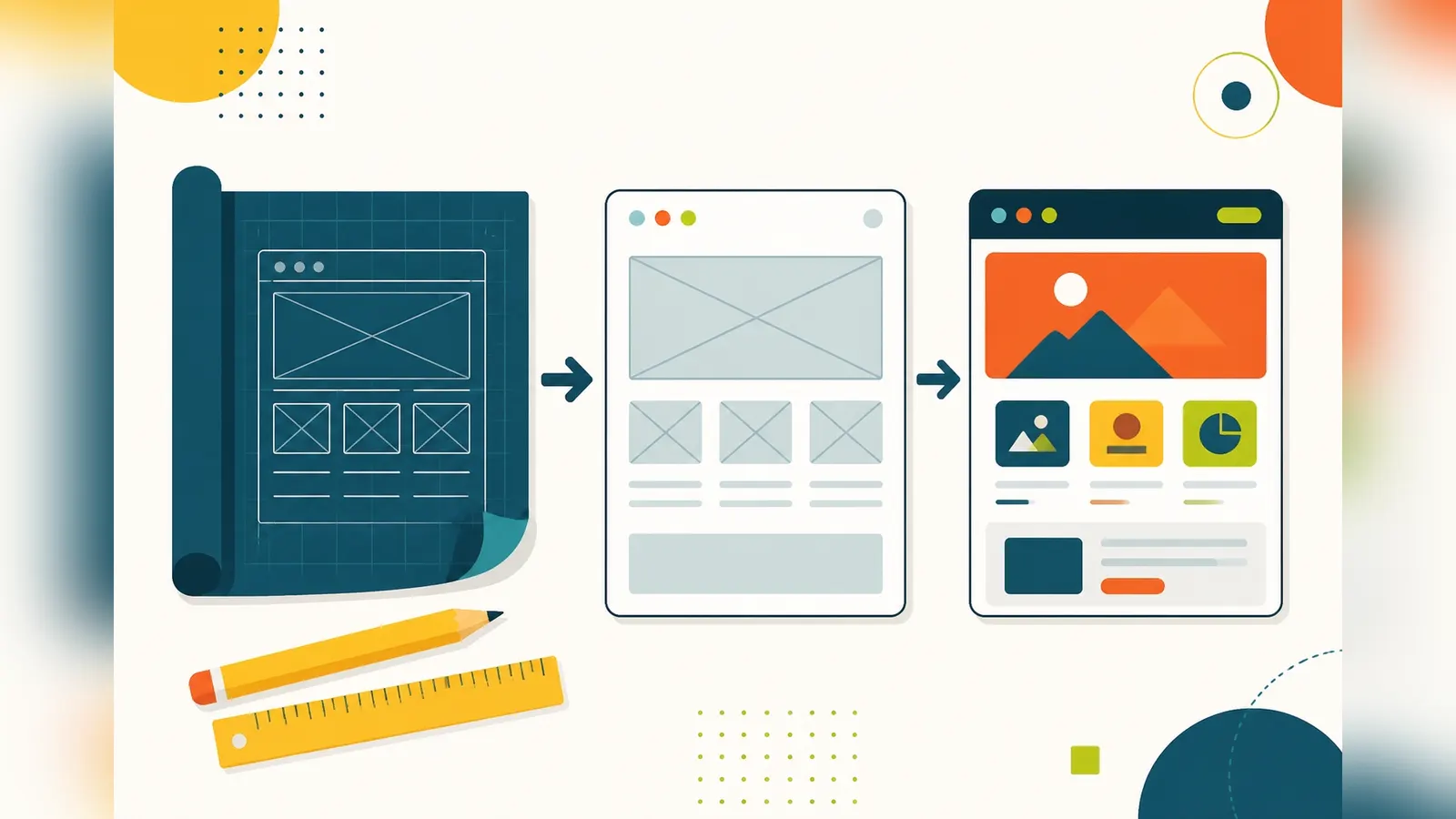
Wireframes are simple black-and-white layouts showing where headings, text, images and buttons will go on each page. They let you focus on structure and usability before getting distracted by visual details.
Step 7: Design the visual look
Now it's time for colours, fonts, imagery and style. Keep it consistent with your brand. Use plenty of white space, readable fonts and high-quality images. Make your calls to action, such as "Call now" or "Get a quote", stand out clearly.
Step 8: Write the content
Content is what persuades visitors and helps you rank. Write clearly for your customers, answer their questions, include your key services and locations naturally, and make each page's purpose obvious.
Step 9: Build the website
Choose the right platform, such as WordPress, Shopify or a custom build, and turn your design into a working website. Make sure it's responsive, so it works on every screen size.
Step 10: Add SEO foundations
Set up page titles, meta descriptions, heading structure, image alt text, internal links, an XML sitemap, schema markup and fast load times. These are the foundations that help Google find and rank your pages.
Step 11: Test everything
Check every page on mobile, tablet and desktop. Test forms, links, load speed and buttons. Ask a few people to use the site and watch where they get stuck.
Step 12: Launch and monitor
Set up Google Search Console and analytics, submit your sitemap and keep an eye on how visitors use the site. A website is never truly finished. The best ones are improved continuously.
Web Design Principles That Convert
- Make it obvious what you do within a few seconds of landing on the page
- Put contact options where people expect them, such as the header and the end of each page
- Use real photos of your work, team and premises where possible
- Show proof with reviews, case studies and accreditations
- Keep navigation simple, with clear labels and no hidden menus on desktop
- Design for thumbs, with large, easy-to-tap buttons on mobile
- Keep it fast by compressing images and avoiding unnecessary effects
Common Web Design Mistakes
- Designing for yourself rather than your customers
- One long page trying to cover every service
- Tiny text and low-contrast colours that are hard to read
- Slow-loading sliders, videos and animations
- Hidden or hard-to-find contact details
- No clear call to action
- Forgetting SEO until after launch, when it's more expensive to fix
Keep Improving After Launch
Once your website is live, use real data to improve it. Google Search Console shows which searches bring people to your site, and analytics shows which pages keep visitors engaged and which ones they leave quickly. Small changes, such as clearer headings, better calls to action or extra content on key pages, can make a big difference over time.
How Long Does It Take to Design a Website From Scratch?
A professional small business website typically takes four to eight weeks from first conversation to launch. Most of that time goes into planning, content and feedback rounds, not the build itself. Rushing the early stages almost always leads to a weaker result.
Designing It Yourself vs Using a Professional
You can design a website yourself with a website builder, and for some businesses that's a sensible starting point. Our guide to website builders vs professional web design covers the pros and cons.
If your website needs to bring in enquiries and compete on Google, a professional designer brings experience in UX, conversion and SEO that's hard to replicate on your own.
How Our Web Design Process Works
At SERPentity, every website follows this process, adapted to each business. For Desire Ink, a fine line tattoo studio in Rotherham, the priority was a bold design that matched the style of Emma's work. For REYTFEST, a Yorkshire indie music event, it was about getting fans to the line-up and ticket details quickly, on a site that could handle busy traffic.
Different goals, different designs, but the same careful process underneath, with SEO built in from the start.
Tools for Designing a Website
If you're designing a website yourself, a few tools make the process easier:
- Pen and paper for early sketches and page layouts. It's still one of the quickest ways to plan.
- Wireframing and design tools such as Figma or Canva for creating mock-ups
- Keyword research tools to find out what your customers search for
- Google Search Console and Google Analytics to track performance after launch
- Speed testing tools such as Google PageSpeed Insights
- Real devices for testing on phones and tablets
Professional designers use these same foundations, combined with experience of what works for different industries and audiences.
Final Thoughts
A great website doesn't start with design. It starts with understanding your goals and your customers. Follow the process, build in SEO from the start, and keep improving after launch, and your website will become one of your hardest-working business assets.
If you'd rather leave the design to us, get in touch and let's talk about your project.