
Vibe Coding Case Study: Building a Local Directory Website
Vibe Coding Case Study: Creating a Community Directory Website with AI-Assisted Development
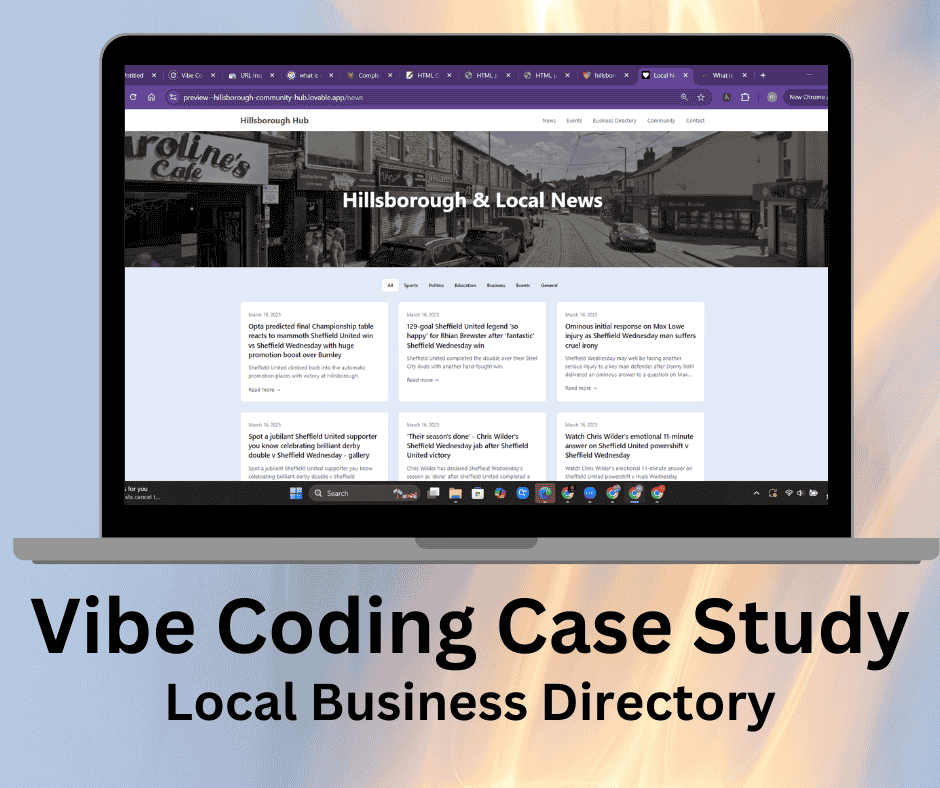
We Create a Directory Website Using Vibe Coding
Vibe coding (prompt-based programming) is revolutionizing web development by allowing non-coders to create sophisticated websites through natural language instructions. In this case study, I'll walk you through how I built a complete community directory website for Hillsborough using AI assistance, the challenges I faced, and the lessons I learned along the way.
Introduction and Project Overview
Project Introduction
The Hillsborough community website began as an idea to create a digital hub serving both residents and visitors to this vibrant area of Sheffield. Like many neighborhoods, Hillsborough had abundant local information, events, and businesses, but this knowledge was scattered across various platforms, social media pages, and physical noticeboards. By centralizing this information in a single, accessible digital space, I aimed to strengthen community connections while providing practical value to users.
What makes this project particularly interesting is that it was developed using vibe coding (prompt-based programming) – a modern approach where AI assists in generating code based on natural language instructions. This method allowed me to build a full-featured website with minimal manual coding, demonstrating how AI can dramatically accelerate development for entrepreneurs, community organisers, and small businesses. If you're interested in more AI-powered development solutions, check out our guide on vibe coding AI website builders for non-coders.
The resulting directory website not only serves as a valuable community resource but also has potential for monetization through:
- Premium business listings with enhanced features
- Featured spots for local businesses
- Targeted local advertising
- Sponsored community events
This model can be applied to virtually any location-based directory, whether for neighborhoods, specialized business niches, or interest communities. Our professional website design services can help implement these monetization strategies for maximum effectiveness.
Project Scope and Requirements
From the outset, I identified several key requirements to make the website truly useful for the target audience:
Business Directory
Events Calendar
News Section
Community Resources
Mobile-First Design
Search Functionality
The target audience included both longtime residents looking for specific local information and visitors wanting to discover what Hillsborough has to offer. This dual-audience approach influenced many design and content decisions throughout development.
Technical Stack Selection
Technology Stack
Frontend
- React: Component-based architecture perfect for directory listings
- TypeScript: Added type safety to reduce errors
- Vite: Fast development with hot module replacement
- Tailwind CSS: Utility-first CSS framework for rapid styling
- shadcn/ui: Pre-built components for a professional UI
Backend
- Supabase: PostgreSQL database with built-in authentication
- Edge Functions: For event scraping and automated updates
- Authentication: User login for community features
- Storage: For images and documents
This stack represents a sweet spot for vibe coding projects – modern enough to provide an excellent user experience, yet composed of well-documented technologies with strong community support, making them easier for AI to understand and generate correct code for.
Site Architecture and Organization
- Home Page: Featured businesses and events, quick navigation, recent news highlights, search functionality
- News Section: Chronologically organized news articles, category filtering, local announcements
- Events Calendar: Calendar view with daily/weekly/monthly options, list view, filter options, automatically updated via web scraping
- Business Directory: Categorized listings, search functionality with filters, individual business pages with detailed information
- Community Resources: Local government information, public services directory, transport links, community groups
- Contact Information: Form for general inquiries, specific contacts for business listings
This architecture was designed to be expandable, allowing for the addition of new sections and features as community needs evolve. The clear separation of concerns also facilitated development using vibe coding, as I could focus on generating code for specific sections independently.
Planning Tip
The planning stage was crucial for the success of this project. By thoroughly defining requirements and architecture before writing the first line of code, I created a roadmap that guided my prompting strategy throughout development – an approach that became particularly valuable when working with AI to generate code.
The Vibe Coding Development Process
Prompt-Based Development Approach
Vibe coding, or prompt-based programming, represents a paradigm shift in how websites and applications are built. Rather than manually writing every line of code, this approach leverages AI to generate functional code based on natural language instructions. For the Hillsborough community website, I embraced this methodology fully, using it to create everything from database schemas to frontend components.
The process differs substantially from traditional development. Instead of writing code directly, I spent most of my time crafting detailed prompts that described what I wanted to build. These prompts evolved from broad architectural instructions to highly specific feature requests as the project progressed.
My experience using this approach for a complex directory site revealed both its strengths and limitations. The speed of development was remarkable—features that might have taken days to code manually were implemented in hours. However, the quality of the output was directly proportional to the quality of my prompts. Vague instructions produced problematic code, while detailed, specific prompts yielded professional-grade results.
Project Initialization and Setup
The development journey began with foundational prompts to establish the project structure. My initial prompt was relatively straightforward:
Create a new React project using Vite with TypeScript for a community website. Set up the project with Tailwind CSS for styling and include the shadcn/ui component library. Establish a basic folder structure following best practices for a React application, including routing with React Router.From this prompt, the AI generated the necessary configuration files, dependencies, and basic project structure. I then initiated the project with the standard npm commands and had a functional, albeit empty, application within minutes.
Next came the routing and navigation setup:
Create a navigation structure for a community website with the following pages: Home, News, Events, Business Directory (with nested routes for restaurants, pubs, cafes, etc.), Community Resources, and Contact. Implement React Router with a responsive navigation bar that collapses to a hamburger menu on mobile devices.This prompt yielded a fully functional navigation system with all required routes configured. The responsive behavior worked immediately, adapting seamlessly between desktop and mobile views.
The project foundation was completed with a third setup prompt:
Set up Supabase integration for the project including authentication, database connection, and configuration for environment variables. Create a context provider for Supabase that makes the client available throughout the application.Initial Setup Success
With these three relatively simple prompts, I had established a solid foundation for the project—a feat that would typically take several hours of manual coding condensed into about 30 minutes of prompt crafting and implementation.
Key Feature Implementation
Business Directory Development
The business directory represented the heart of the website and required the most complex implementation. I began with a prompt to establish the database structure:
Generate SQL commands to create a 'businesses' table in Supabase with fields for name, category (enum with types like restaurant, pub, cafe, retail, service), address, postcode, phone, email, website, description, opening_hours, and verified (boolean). Include appropriate constraints and indexes.This produced well-structured SQL that I could execute directly in the Supabase interface. I followed this with a prompt for the directory's frontend components:
Create a Business Directory page with filter sidebar and main content area displaying business cards in a responsive grid. Include filters for business category, postcode area, and verification status. Each business card should display the name, category, address, and a link to the full business page.The AI generated a complete React component that implemented this design, including the filtering logic. For individual business pages, I used:
Generate a Business Detail page component that displays all information about a single business. Include a header with the business name and category, contact information section, description, opening hours displayed in a weekly schedule format, and a map showing the business location using Leaflet.To populate the directory with initial data, I used:
Generate a table of 30+ verified restaurants/takeaways in Hillsborough, Sheffield (S6 postcode only) with realistic data for all fields in our business table. Format the data as SQL INSERT statements that can be executed in Supabase.This provided a substantial dataset to begin testing with, though I later refined this data for accuracy.
Events Calendar Implementation
Database Schema
Create a SQL schema for an events table with fields for title, description, start_date, end_date, venue, address, postcode, price (which could be 'Free'), booking_url (nullable), source_url, and image_url (nullable).Event Scraper
Create a Supabase Edge Function that scrapes event information from the Hillsborough local community website and Facebook events pages. Parse the event details and store them in our events table. Include error handling and logging.Calendar Frontend
Create a calendar component that can display events in both a monthly calendar view and a list view. Allow filtering by date range, event type, and venue. Each event should display its title, date, venue, and price, with a click opening a modal with full details.News Section Creation
The news section followed a similar pattern:
Create a database schema for news articles with fields for title, content (rich text), publication_date, author, category, featured_image_url, and featured (boolean).Followed by the frontend implementation:
Create a News page that displays articles in reverse chronological order with pagination. Each article preview should show the title, publication date, a short excerpt, and featured image if available. Include filtering by category and a search function.UI/UX Enhancement Process
With the core features implemented, I turned to enhancing the user experience:
Implement a global search component in the header that searches across businesses, events, and news articles. Results should be grouped by type and display relevant preview information for each item.For responsive design improvements:
Review and enhance the responsive behavior of all pages, ensuring optimal display on devices from mobile phones to large desktops. Pay special attention to the business directory filters, calendar view, and navigation menu.Styling consistency was addressed with:
Apply a consistent color scheme and typography throughout the site based on Hillsborough's community colors of green and gold. Ensure all components follow the same visual language with consistent spacing, rounded corners, and shadow effects.These prompts generated code that significantly improved the site's visual coherence and usability across devices.
Database Integration
Database integration extended beyond the initial schema creation. As the project evolved, I needed to create relationships between tables and implement more complex queries:
Create SQL commands to establish relationships between the businesses, events, and venues tables. Events should reference venues by ID, and venues should be linkable to businesses where applicable.For more complex data retrieval:
Generate a Supabase query function that retrieves upcoming events, joined with their venue information, filtered by category and date range, and ordered by start date.These database interactions were integrated into the frontend components through context providers and custom hooks:
Create a React context and custom hooks for accessing the businesses, events, and news data from Supabase. Include functions for fetching, filtering, and sorting data based on user interactions.The development process flowed naturally from database design to backend functionality to frontend implementation, guided by increasingly specific prompts as each feature took shape. Working with AI in this way allowed me to iterate quickly, focusing on the site's functionality and user experience rather than getting bogged down in implementation details.
The resulting codebase was remarkably cohesive for something generated through prompt-based development, with consistent patterns and approaches across different features. This consistency was achieved by establishing clear patterns in early prompts and referring back to them in subsequent requests, creating a continuity that might otherwise be difficult to maintain when generating code in fragments.
Challenges, Solutions, and Optimization
Development Challenges Encountered
Building the Hillsborough community website using vibe coding presented several significant challenges that required creative problem-solving:
React Import Issues
One recurring frustration was missing React imports in generated components. Despite being a simple issue, this caused frequent runtime errors when testing new features. The solution was straightforward but repetitive:
// Missing import in generated code
// import React from 'react';  <-- This was often missing

function BusinessCard({ business }) {
  return (
    <div className="card">
      {/* Component content */}
    </div>
  );
}I eventually refined my prompts to specifically request proper import statements, which significantly reduced these errors.
Designing the right database schema through prompts proved challenging. Initially, I created basic tables without proper relationships, leading to inefficient queries and data redundancy. For example, my first version of the events table didn't properly link to venues:
CREATE TABLE events (
  id UUID PRIMARY KEY DEFAULT uuid_generate_v4(),
  title TEXT NOT NULL,
  description TEXT,
  venue_name TEXT, -- This became problematic with inconsistent naming
  venue_address TEXT,
  start_date TIMESTAMP WITH TIME ZONE NOT NULL,
  end_date TIMESTAMP WITH TIME ZONE
);I later had to revise this to create a proper venues table with relationships:
CREATE TABLE venues (
  id UUID PRIMARY KEY DEFAULT uuid_generate_v4(),
  name TEXT NOT NULL,
  address TEXT,
  postcode TEXT,
  business_id UUID REFERENCES businesses(id)
);

CREATE TABLE events (
  id UUID PRIMARY KEY DEFAULT uuid_generate_v4(),
  title TEXT NOT NULL,
  description TEXT,
  venue_id UUID REFERENCES venues(id),
  start_date TIMESTAMP WITH TIME ZONE NOT NULL,
  end_date TIMESTAMP WITH TIME ZONE
);This refactoring created additional work that could have been avoided with better initial planning.
Edge Function Implementation Hurdles
Implementing Supabase Edge Functions for event scraping presented unexpected complexity. The AI-generated code often lacked proper error handling and occasionally used Node.js-specific packages unavailable in the Edge Function environment.
For example, an early version attempted to use the 'fs' module which isn't available in Supabase Edge Functions:
// This wouldn't work in Edge Functions
import fs from 'fs';
import cheerio from 'cheerio';

export async function scrapeEvents() {
  // Problematic code...
}I had to revise these implementations to use fetch and browser-compatible libraries instead:
import { createClient } from '@supabase/supabase-js';
import cheerio from 'cheerio';

export async function scrapeEvents() {
  const supabase = createClient(
    process.env.SUPABASE_URL,
    process.env.SUPABASE_SERVICE_ROLE_KEY
  );

  try {
    const response = await fetch('https://hillsborough-events-site.com');
    const html = await response.text();
    // Processing with cheerio...
  } catch (error) {
    console.error('Scraping failed:', error);
  }
}Progressive Enhancement Challenges
Adding new features while maintaining existing functionality proved difficult. Each new prompt sometimes generated code that conflicted with previous implementations. For instance, adding search functionality to the business directory initially broke the existing filtering system.
The solution was to become more specific with integration prompts, much like how our technical SEO specialists approach complex website optimizations:
Add a search bar to the existing BusinessDirectory component that maintains compatibility with the current filter system. The search should filter by business name and description, while the existing category and location filters should still work in combination with the search term.Prompt Optimization Strategies
Through trial and error, I discovered several strategies that would have significantly improved my prompt efficiency:
Better Prompting Strategies
More Specific Initial Architecture Prompts
Create a community website with the following structure: Home page featuring latest news and upcoming events, News section with filtering and pagination, Events calendar with list and calendar views, Business Directory with categories (restaurants, pubs, cafes) and detailed business pages, Community Resources section, and Contact page. Use React, TypeScript, Tailwind CSS, shadcn/ui, and Supabase for backend functionality. The design should be responsive and follow modern web accessibility standards.Complete Database Schema Definition Upfront
Design a complete Supabase database schema for a community website with tables for users, business_listings (with fields for name, category, contact details, location, hours), events (with relationships to venues and categories), news_articles, and community_posts. Include appropriate relationships, constraints, and RLS policies.Component Library Standardization
Create a standardized component library with the following: Card components (BusinessCard, EventCard, NewsCard), SearchBar component, FilterPanel component, and PageHeader component. Each should follow the same design language with consistent styling, responsive behavior, and proper TypeScript typing.Batched Feature Implementation
Implement the complete business directory functionality including: database schema, API integration, listing page with filtering and search, detail pages with maps and contact information, and admin interface for verification.Including Test Cases in Prompts
Create the restaurant listing page with these test cases in mind: empty search results should display a friendly message, searches with more than 20 results should implement pagination, filtering by multiple criteria should work correctly, and the layout should adapt appropriately to mobile, tablet, and desktop screens.Documentation Requirements in Prompts
Add TypeScript documentation to all components including prop definitions, usage examples, and any caveats. Create a README.md explaining the project structure, setup process, and deployment workflow.Token Efficiency Considerations
Working with AI models highlighted the importance of token efficiency. Each prompt consumes tokens, which directly impacts cost and response time.
- Large Code Generation Requests: Asking for entire pages or multiple components at once
- Repetitive Explanations: Re-explaining the project context in each prompt
- Excessive Examples: Providing more context than necessary
- Debugging Sessions: Back-and-forth troubleshooting of complex issues
- Modular Requests: Breaking down large features into logical components
- Establishing Conventions: Setting patterns once and referencing them later
- Targeted Refinements: Focusing on specific improvements rather than regenerating entire components
- Structured Documentation: Maintaining external documentation of the project's architecture to reduce the need for context in each prompt
A practical example of token efficiency was my approach to the business directory pages. Initially, I requested the entire feature at once, consuming a large number of tokens with mediocre results. Later, I broke this down into:
- Data model definition
- API service for data access
- List view component
- Individual card component
- Detail page component
- Search and filter functionality
This modular approach not only used fewer tokens in total but produced better, more maintainable code.
Deployment Process
Preparing the Hillsborough community website for deployment required several important steps:
Environment Configuration
- Setting up environment variables for production
- Configuring Supabase production environment
- Creating deployment-specific configurations
Build Optimization
- Implementing code splitting for faster initial load times
- Configuring asset optimisation through Vite
- Minifying CSS and JavaScript
Hosting Selection
- After evaluating options, I selected Vercel for frontend hosting
- Supabase continued to serve as the backend
- Setting up the deployment pipeline with GitHub integration
Deployment Commands
# Build the project
npm run build

# Test the production build locally
npm run preview

# Deploy to Vercel
vercel --prodPost-Deployment Monitoring
- Setting up error tracking
- Implementing basic analytics
- Establishing a feedback mechanism for users
The deployment process was remarkably smooth, requiring minimal adjustments to the development code. This speaks to the quality of the AI-generated code, which followed modern best practices for React applications.
Lessons Learned
What Worked vs. What Could Improve
What Worked Well
- Rapid Development: Features that would typically take days were implemented in hours
- Consistent Styling: The combination of Tailwind CSS and shadcn/ui with AI-generated components created a visually cohesive experience
- Complex Functionality: The AI successfully implemented sophisticated features like filtering, search, and data relationships
- Adaptability: The approach allowed for quick pivots when requirements changed
Areas for Improvement
- Planning Phase: More comprehensive initial planning would reduce rework
- Prompt Strategy: Better structured prompts would yield more consistent results and use fewer tokens
- Testing Framework: Including automated testing from the beginning would catch issues earlier
- Documentation: More systematic documentation practices would improve maintainability
The most profound insight was that the quality of output directly correlated with the quality of prompts. Well-structured, specific prompts that included clear requirements, edge cases, and examples consistently produced superior code compared to vague or general instructions. This approach aligns with our comprehensive SEO services, where clarity and specificity similarly yield the best results.
Conclusion: The Future of Vibe Coding for Web Development
The Hillsborough community website demonstrates the remarkable potential of vibe coding for creating practical, functional web applications. What began as a simple concept evolved into a comprehensive community resource with multiple integrated features, all developed through AI-assisted programming.
This approach isn't just about coding faster—it fundamentally changes who can build sophisticated digital products. Non-developers with domain knowledge can now create solutions that previously required specialized technical skills, opening new possibilities for community projects, small businesses, and entrepreneurs.
For future directory projects—whether for communities, specialised business niches, or interest groups—vibe coding offers a compelling path forward. The monetisation potential through premium listings, featured spots, and local advertising makes this approach particularly attractive for sustainable community resources.
The technology is still evolving, with current limitations around complex state management, performance optimisation, and specialised integrations. However, these boundaries continue to expand rapidly as AI models improve.
For those considering similar projects, my advice is clear: invest time in thorough planning, develop a strategic prompting approach, and embrace the iterative nature of the process. The results will likely exceed your expectations, delivering capabilities that would have been out of reach through traditional development methods.
Vibe coding isn't replacing traditional development—it's expanding who can participate in building the digital world. And that might be its most revolutionary aspect of all.
Ready to Build Your Own Directory with Vibe Coding?
Discover how our team can help you create a custom directory site for your community or business niche using AI-powered development techniques.
Contact Our Team Request a Free SEO AuditFrequently Asked Questions
Vibe coding, also known as prompt-based programming, is an approach where you create software by describing what you want in natural language rather than writing code manually. AI tools interpret these descriptions and generate the corresponding code. Unlike traditional development, which requires knowledge of programming languages and frameworks, vibe coding primarily requires clear communication skills and an understanding of what you want to build.
A basic directory website with essential features like listings, search, and filtering can be developed in 1-2 weeks using vibe coding, compared to 1-2 months with traditional development. More complex features like automated data scraping, user accounts, and advanced search might add another week or two. However, the time savings are substantial—my Hillsborough community website took approximately 3 weeks to develop completely, which would have taken 8-10 weeks using conventional coding approaches.
While vibe coding is powerful, it does have limitations. Complex custom functionality that isn't common in typical websites may require more refinement. Performance optimisation for large datasets can be challenging and might need manual intervention. Integration with uncommon third-party services sometimes requires additional work. SEO considerations need special attention, as AI-generated code might not follow all SEO best practices by default. However, most of these limitations can be addressed with targeted prompting and selective manual coding when necessary.
You don't need extensive coding knowledge, but basic familiarity with web concepts is helpful. Understanding terms like database, API, frontend, backend, and responsive design will help you craft better prompts. The ability to recognize when generated code looks reasonable (even if you can't write it yourself) is valuable. Some platforms like Replit or Vercel require basic command-line knowledge for deployment. That said, many successful projects have been completed by people with primarily business or domain expertise rather than technical backgrounds.
Directory websites offer multiple monetisation opportunities. Premium listing options can allow businesses to add more photos, videos, or detailed information for a fee. Featured placement puts certain listings at the top of search results or category pages. Banner advertising can be sold to local businesses looking to increase visibility. Sponsored content like featured events or articles provide another revenue stream. Membership models can offer users additional features like saving favourites or receiving notifications. All of these monetisation methods can be implemented using vibe coding approaches, with payment integration through services like Stripe.